

WinDivert Windows Packet Interception Library
WinDivert is a powerful user mode library that allows capturing filtering modifying and re injecting network packets on Windows systems.
10M+
Downloads
5,000+
GitHub Stars
100+
Contributors

1.2 Gbps
Throughput
Zero Copy
Architecture
What is WinDivert ?
WinDivert is a powerful Windows-based packet-capture and network-filtering driver that enables applications to intercept, inspect, modify, and control network traffic in real time. It works at a low level within the Windows networking stack, giving developers and security tools deep visibility and precise control over both incoming and outgoing data packets.
Unlike traditional packet capture tools that only monitor traffic, WinDivert actively interacts with network packets. This means it can block unwanted connections, redirect traffic, alter packet headers, or reinject modified packets back into the network flow. Because of this capability, WinDivert is widely used in advanced networking, security, and traffic management solutions.
LGPL
Open Source License
x86/x64
Architecture Support
Packet Capture
Intercept network packets at the Windows kernel level
Protocol Analysis
Deep packet inspection for any network protocol
Real time Processing
Process millions of packets per second with minimal latency
Security Tools
Build firewalls, VPNs, and intrusion detection systems
Powerful WinDivert Features
WinDivert provides a comprehensive set of features for capturing, filtering, and manipulating Windows network traffic
Packet Capture
Capture network packets at the kernel level with zero-copy architecture. Monitor all inbound and outbound traffic including TCP, UDP, ICMP, and raw IP packets. Perfect for building network analyzers, traffic monitors, and debugging tools.
Key Benefits:
- Zero-copy packet capture for maximum performance
- Support for all network protocols
- Configurable filter expressions
- Real-time packet inspection

Network Filtering
Filter packets using powerful expression syntax. Block, allow, or redirect traffic based on source, destination, protocol, ports, and more. Build firewalls and security tools with ease.
Key Benefits:
- Flexible filter expression language
- Layer 2-4 filtering support
- Application-aware filtering
- Priority-based rule matching

High Performance
Engineered for maximum throughput with minimal CPU overhead. Handle gigabit-speed traffic in user-mode without dropping packets. Batched operations and zero-copy transfers ensure optimal performance.
Key Benefits:
- 1+ Gbps throughput capability
- Minimal CPU overhead
- Batched packet operations
- Lock-free data structures
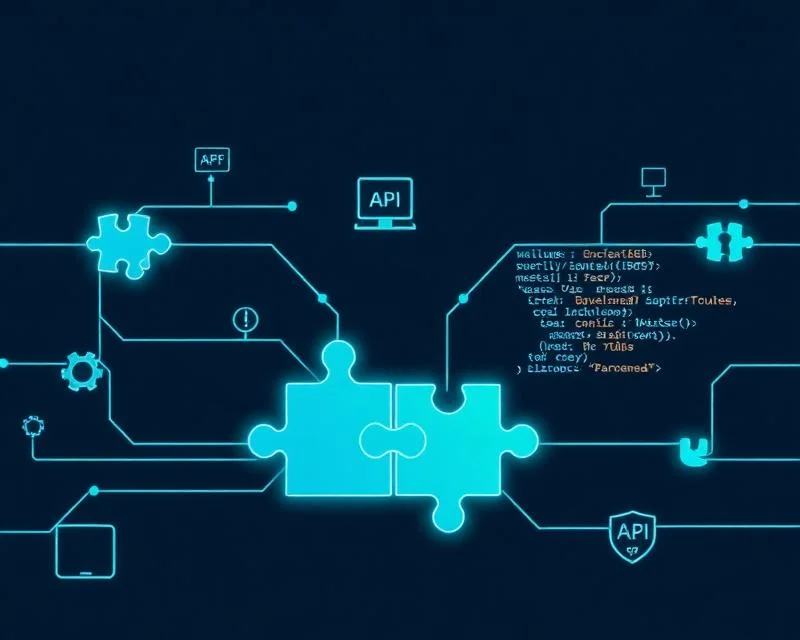

Packet Injection
Inject packets directly into the Windows network stack. Modify existing packets or create entirely new ones. Essential for building VPNs, tunneling applications, and network testing tools.
Key Benefits:
- Inject packets at any network layer
- Modify packet headers and payloads
- Create synthetic network traffic
- Built-in checksum recalculation

NAT Support
Implement Network Address Translation with full control over address and port mapping. Build load balancers, proxy servers, and network gateways with transparent NAT capabilities.
Key Benefits:
- Full cone, restricted, and symmetric NAT
- Port address translation (PAT)
- Connection tracking
- Stateful NAT implementation

Easy Integration
Simple and intuitive C API with bindings for Python, C#, Go, Rust, and more. Comprehensive documentation and examples to get you started quickly. No kernel development experience required.
Key Benefits:
- Clean C API with full documentation
- Language bindings for major platforms
- Extensive code examples
- Active community support
Smart Functionality
How WinDivert Works & Why It Stands Out
WinDivert intercepts, filters, and controls network packets in real time at the Windows network stack level. Its high-performance driver architecture delivers deep traffic visibility, precise control, and extensive customization, making it an ideal choice for advanced networking and security applications.
How WinDivert Works
Packet Interception at the Network Layer
Every incoming and outgoing packet that matches a defined filter rule is intercepted before it is processed by the operating system or sent over the network. This interception happens at a very early stage, ensuring maximum control and visibility over traffic.
Filter Rules and Traffic Selection
These filters can target:
- Specific IP addresses
- Ports and protocols (TCP, UDP, ICMP)
- Direction of traffic (inbound or outbound)
- Loopback and localhost traffic
User-Mode Packet Processing
Here, developers can:
- Inspect packet headers and payloads.
- Log or analyze traffic.
- Modify packet contents.
- Decide whether a packet should be forwarded or dropped.
Packet Modification and Decision Making
- Allow the packet to continue unchanged.
- Modify packet data (headers or payload)
- Drop the packet to block traffic.
- Redirect traffic to a different destination.
Packet Reinjection into the Network Stack
From this point onward, the packet behaves as if it were never intercepted, ensuring compatibility with existing applications and network services.
High-Performance and Stability
Its lightweight driver architecture minimizes latency while maintaining system stability, even under heavy network load.
Why Choose WinDivert?
High-Performance Packet Interception
Complete Control Over Network Traffic
Developer-Friendly and Flexible
Broad Compatibility and Protocol Support
Ideal for Security and Networking Applications
Lightweight, Reliable, and Proven
Built for Any Use Case
From security tools to network optimization, WinDivert powers a wide range of applications
Firewalls
Build software firewalls with custom rules, application awareness, and real-time traffic control.
VPN Clients
Create VPN clients that tunnel traffic through encrypted connections without modifying system network configuration.
Network Analyzers
Develop packet sniffers and network analyzers for debugging, monitoring, and security auditing.
Load Balancers
Implement load balancers and traffic distributors for high-availability applications.
IDS/IPS Systems
Build intrusion detection and prevention systems that monitor and protect network traffic.
Traffic Shaping
Control bandwidth allocation and prioritize traffic for quality of service management.
Common Use Cases
Advanced Network Control
Real-Time Packet Processing
System-Wide Traffic Management
Secure Communication Handling
High-Performance Networking Solutions
Custom Network Logic Implementation
Scalable & Flexible Use
Easy Installation
Get started with WinDivert in just a few simple steps
- Step 1: Download & Extract
					curl -LO https://github.com/basil00/Divert/releases/latest/download/WinDivert.zip
unzip WinDivert.zip
- Step 2: Include in Project
					#include "windivert.h"

// Open a WinDivert handle
HANDLE handle = WinDivertOpen(
    "tcp.DstPort == 80",
    WINDIVERT_LAYER_NETWORK,
    0, 0
);
- Step 3: Capture Packets
					WINDIVERT_ADDRESS addr;
UINT packetLen;
char packet[MAXBUF];

// Receive a packet
if (!WinDivertRecv(handle, packet,
    sizeof(packet), &packetLen, &addr)) {
    // Handle error
}
Is WinDivert Safe to Use ?
WinDivert is safe to use in controlled and legitimate environments when obtained from an official or trusted source. It is a kernel-level packet interception driver for Windows that provides user-mode applications with direct access to network traffic for inspection, filtering, modification, and reinjection.
Security Characteristics of WinDivert
Antivirus Detection and Risk Classification
Potential Security Risks

- Obtain binaries only from verified and official distributions.
- Use digitally signed drivers where available.
- Integrate WinDivert only within trusted applications.
- Restrict administrative privileges to authorized users.
Code Examples
Get started quickly with these practical code samples
					#include "windivert.h"

int main() {
    HANDLE handle;
    WINDIVERT_ADDRESS addr;
    char packet[MAXBUF];
    UINT packetLen;

    // Open handle for all TCP traffic
    handle = WinDivertOpen(
        "tcp", WINDIVERT_LAYER_NETWORK, 0, 0);

    while (TRUE) {
        // Capture packet
        if (!WinDivertRecv(handle, packet,
            sizeof(packet), &packetLen, &addr)) {
            continue;
        }

        // Process packet...
        printf("Captured %u bytes\n", packetLen);

        // Re-inject packet
        WinDivertSend(handle, packet,
            packetLen, NULL, &addr);
    }

    return 0;
}
					// Filter for HTTP traffic only
HANDLE handle = WinDivertOpen(
    "tcp.DstPort == 80 or tcp.SrcPort == 80",
    WINDIVERT_LAYER_NETWORK,
    0, 0);

// Or filter HTTPS
HANDLE https = WinDivertOpen(
    "tcp.DstPort == 443 or tcp.SrcPort == 443",
    WINDIVERT_LAYER_NETWORK,
    0, 0);
					// Block traffic to/from specific IP
HANDLE handle = WinDivertOpen(
    "ip.SrcAddr == 192.168.1.100 or "
    "ip.DstAddr == 192.168.1.100",
    WINDIVERT_LAYER_NETWORK,
    0, 0);

// Capture and DROP (don't reinject)
while (WinDivertRecv(handle, packet,
    sizeof(packet), &packetLen, &addr)) {
    // Packet is dropped by not calling
    // WinDivertSend()
    printf("Blocked packet!\n");
}

- More Examples
Find more comprehensive examples in our GitHub repository, including:
- NAT implementation example
- Packet logging and analysis
- Custom firewall implementation
- Traffic shaping examples
- Python and C# bindings usage
Technical Specifications
Everything you need to know about WinDivert’s technical capabilities
System Requirements
- Windows 7 or later (x86 or x64)
- Administrator privileges for driver installation
- MSVC runtime libraries
- No special hardware requirements
Protocol Support
- IPv4 and IPv6 support
- TCP, UDP, ICMP, and raw IP
- Ethernet frame access (WINDIVERT_LAYER_ETHERNET)
- Socket-layer filtering (WINDIVERT_LAYER_SOCKET)
- Flow-layer tracking (WINDIVERT_LAYER_FLOW)
- Reflected packet detection
Performance
- Up to 1+ Gbps throughput
- Sub-millisecond latency
- Minimal CPU overhead
- Batched operations for efficiency
- Zero-copy packet access
- Lock-free internal structures
Windows Compatibility
WinDivert supports a wide range of Windows versions and architectures
Supported Windows Versions
- Windows 7 (SP1)
- Windows 8
- Windows 8.1
- Windows 10
- Windows 11
- Windows Server 2008 R2
- Windows Server 2012
- Windows Server 2016
- Windows Server 2019
- Windows Server 2022
Architectures
- x86 (32-bit)
- x64 (64-bit)
- ARM64

WinDivert vs Traditional Packet Capture Tools
See how WinDivert compares to other Windows networking tools
| Feature | WinDivert | Npcap / WinPcap | Raw Sockets |
|---|---|---|---|
| User-mode API | ✓ | ✓ | – |
| Packet Injection | ✓ | – | ✓ |
| Packet Modification | ✓ | – | ✓ |
| Filter Expressions | ✓ | ✓ | – |
| Zero-copy Capture | ✓ | ✓ | – |
| No Admin Rights Needed | – | – | – |
| Works on All Windows | ✓ | ✓ | – |
| LGPL License | ✓ | – | ✓ |
Getting Started with WinDivert
Getting started with WinDivert is straightforward for developers and network professionals who want full control over Windows network traffic. Below is a clear, practical overview to help you begin using WinDivert effectively.
Trusted by Developers Worldwide
WinDivert powers thousands of networking applications across the globe
10M+
Total Downloads
50,000+
Active Projects
500+
Forks
99.9%
Uptime
Loved by Developers
See what developers and companies are saying about WinDivert
FAQ's
Frequently Asked Questions
Get answers to common questions about WinDivert
What is WinDivert?
WinDivert is a Windows packet interception driver that allows applications to capture, filter, modify, and reinject network packets in real time.
What is WinDivert mainly used for?
WinDivert is commonly used for network monitoring, firewall development, traffic filtering, ad blocking, VPN tools, and security research.
Is WinDivert free to use?
Yes, WinDivert is free to use and is typically distributed as an open-source networking utility for Windows.
Which Windows versions support WinDivert?
WinDivert supports modern Windows operating systems, including Windows 7, Windows 8, Windows 10, and Windows 11.
Does WinDivert support IPv6 traffic?
Yes, WinDivert fully supports both IPv4 and IPv6 network traffic.
Is WinDivert a VPN?
No, WinDivert is not a VPN. It is a packet-level driver that can be used to build VPNs or similar networking tools.
Can WinDivert slow down internet speed?
When properly configured, WinDivert has minimal performance impact. Poorly written filters or heavy traffic processing may affect speed.
Is WinDivert suitable for beginners?
WinDivert is primarily designed for developers and advanced users with networking knowledge, but beginners can learn it with proper documentation.
Does WinDivert require administrator privileges?
Yes, installing and running WinDivert requires administrator-level permissions because it works at the system network level.
Is WinDivert open-source?
Yes, WinDivert is an open-source project, allowing developers to inspect, modify, and integrate it into their own tools.
Is WinDivert safe to use?
Yes, WinDivert itself is safe when downloaded from a trusted source and used for legitimate purposes.
Why do antivirus programs flag WinDivert?
Antivirus software may flag WinDivert because it intercepts network traffic, a behavior also used by some malware.
Is WinDivert a virus or malware?
No, WinDivert is not a virus or malware. It is a legitimate network driver used by many trusted applications.
Can hackers use WinDivert?
Like many powerful tools, WinDivert can be misused. Security depends on how the tool is implemented and who controls it.
Should I allow WinDivert in my firewall?
If you trust the application using WinDivert, allowing it through the firewall is generally safe.
Can WinDivert be used for packet sniffing?
Yes, WinDivert can capture and analyze network packets, making it suitable for packet sniffing and traffic inspection.
Does WinDivert modify system files?
WinDivert installs a driver to handle packet interception but does not modify core Windows system files.
How do I uninstall WinDivert?
WinDivert can be removed by uninstalling the application that installed it or manually removing the driver if needed.
Is WinDivert legal to use?
Yes, WinDivert is legal to use for legitimate purposes such as development, testing, and network management.
Can WinDivert be used in commercial software?
Yes, WinDivert can be integrated into commercial software, subject to its license terms.
WinDivert – Real-Time Network Traffic Control on Windows
WinDivert lets you capture, modify, and inject network packets on Windows. Perfect for firewall testing, network monitoring, and packet analysis.
Price: Free
Price Currency: $
Operating System: Windows
Application Category: Software
4.7